
Every loyalty program lives or dies on one unglamorous number: what fraction of visits actually get captured. Points nobody earns drive visits nobody makes. And the capture mechanism in most stores — a staff member asking for a phone number at the register — fails in ways owners rarely see, because the failure is silent. Here's the case for putting an iPad on the counter instead, from running both models in our own stores.
How register capture actually fails
- The rush. Six people in line, one register. Nobody asks anybody anything; capture drops exactly when traffic is highest — your busiest hours are your least-measured.
- The new hire. Capture depends on staff remembering, caring, and phrasing it well. Every schedule change resets the habit.
- The typo. Numbers heard over counter noise and retyped create duplicate and orphan records that quietly corrupt your segments.
- The awkward consent. A verbal “can I get your number?” captures a phone number, not marketing consent. Texting that list is a compliance problem (carriers check your opt-in flow) and a legal one.
What changes with a self-serve kiosk
- Capture decouples from the register. Members check in while browsing or waiting — no line-speed tax, no staff dependency. Regulars build a walk-in-tap habit in about two visits.
- The member does their own data entry. People type their own number correctly; the kiosk recognizes them next time.
- Consent is explicit and recorded. The SMS opt-in is a checkbox the customer taps themselves, logged with source and timestamp. That's the provable flow carrier registration asks about — and it's why kiosk-collected lists have healthy complaint rates and deliverability.
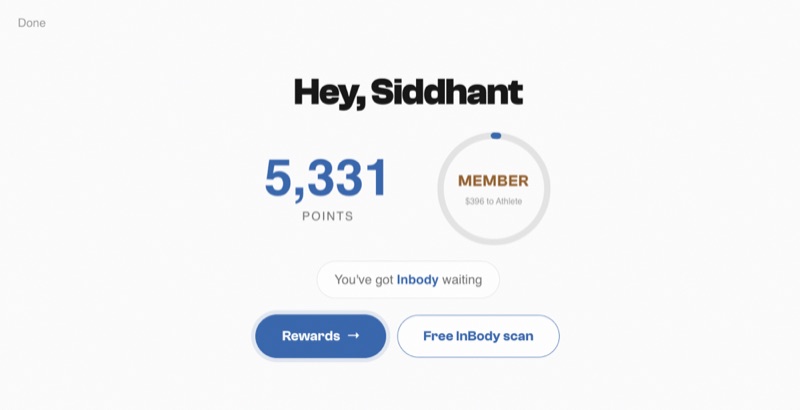
- The counter earns instead of asking. The kiosk shows points and available rewards on check-in — “you're 40 points from a free shaker” is a message that sells the next visit, delivered with zero staff effort.
- It advertises the program all day. A branded kiosk on the counter recruits members while staff restock shelves. (Branded meaning your brand — ours puts your name on it, which is rarer than it should be.)
“But my staff have a relationship with customers”
Keep it — the kiosk isn't a replacement for the relationship; it's a replacement for the data entry. Staff still greet regulars by name; they just stop being the loyalty program's single point of failure. And with a POS integration, purchases award points automatically anyway; the kiosk's real job is the visit signal and the consent.
Doing it well: the short list
- Position it before the register, not behind it — check-in should happen during the browse, not during payment.
- Keep it to one action. Number in, points shown, reward claimable, done in under ten seconds.
- Make the opt-in unmissable but optional. Loyalty membership and SMS consent are separate choices; forcing them together poisons the list.
- Show progress, not just balance. “40 points to your next reward” outperforms a raw number.
Measure your capture rate honestly for one week — visits with a loyalty action divided by transactions. If it's under half, the program isn't underperforming; it's under-capturing. Fix the front door first.
The two-week rollout that makes it stick
A kiosk that appears on the counter with no plan becomes a paperweight with a screen. The rollout that worked in our stores:
- Days 1–3: staff first. Every staff member checks themselves in, claims a test reward, and can say the one-liner: “Punch in your number there — you'll rack up points every visit.” Staff who've used it sell it without being asked.
- Days 3–10: the ask moves, it doesn't disappear. The register script changes from “what's your phone number?” (data entry) to “did you check in?” (a pointing gesture). Three seconds, no typing, and it trains the habit you want.
- Week 2: make it worth it, visibly. Run a double-points week announced only on the kiosk screen and a counter sign. You're paying a small points premium to compress habit formation into days.
- Then: watch one number. Check-ins ÷ transactions, weekly. In our experience it climbs for about a month and plateaus; wherever it plateaus is your true capture rate, and it will embarrass whatever the register method was doing.
Objections, answered honestly
“Customers won't bother.” Regulars — the people who matter to a loyalty program — bother immediately, because the kiosk shows them a balance that's worth something. One-time tourists don't, and that's fine; they were never the program. “It'll get greasy/broken/stolen.” A locked counter mount and a daily wipe. Ours have survived years of post-workout hands. “We're too small for this.” Small is the argument for it: the fewer staff you have, the less you can afford them being the loyalty program's memory. The kiosk works the whole shift, every shift, and never gets flustered by a line.
Last practical note: put the capture-rate number where staff see it. A small weekly figure on the break-room door — “check-in rate: 61%” — does more for adoption than any memo, because the crew that watched it climb from 30 owns it.